
Bucket Management - Quota, WORM, Policy and Lifecycle
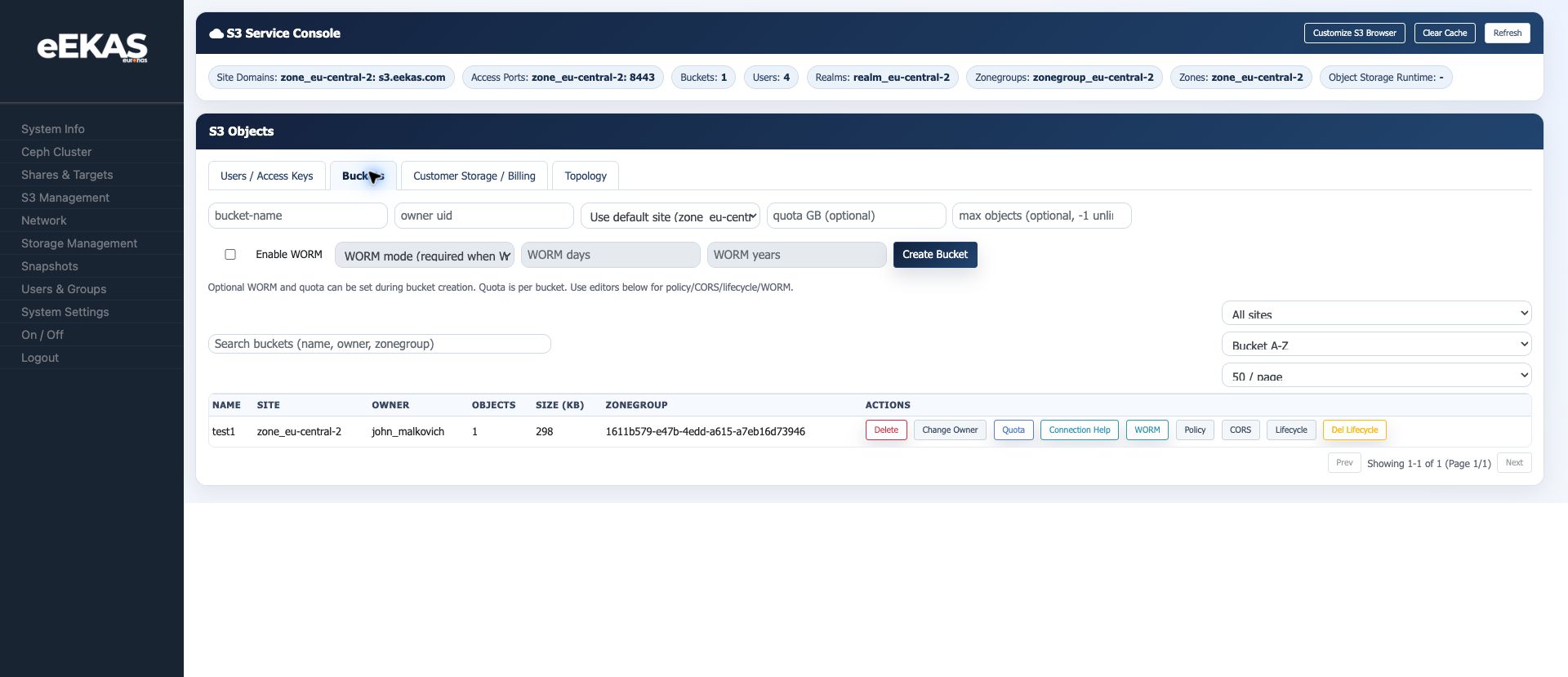
The Buckets tab in the S3 Service Console is the central place for bucket creation and bucket-level controls.
Screenshot reference: S3 bucket management (../eekas-s3-screenshots/05-s3-buckets.png)
Creating a Bucket
Available creation fields:
| Field | Description |
|---|---|
| Bucket name | Name of the S3 bucket. Use lowercase DNS-safe names for best client compatibility. |
| Owner UID | UID of the S3 user that owns the bucket. |
| Site | Site/zone context for the bucket. |
| Quota GB | Optional capacity quota for the bucket. |
| Max objects | Optional object-count limit. -1 means no object limit. |
| Enable WORM | Creates the bucket with WORM/Object Lock behavior where supported. |
| WORM mode | Retention mode used for protected storage. |
| WORM days / years | Default retention period for protected objects. |
The console note is important: WORM and quota can be set during bucket creation. WORM/Object Lock behavior is not just a cosmetic setting; it changes how the bucket can be used later.
Bucket List
The bucket table shows:
- Name
- Site
- Owner
- Object count
- Size
- Zonegroup
- Actions
The captured test bucket test1 shows bucket-level actions for delete, owner change, quota, connection help, WORM, policy, CORS and lifecycle.
Quota
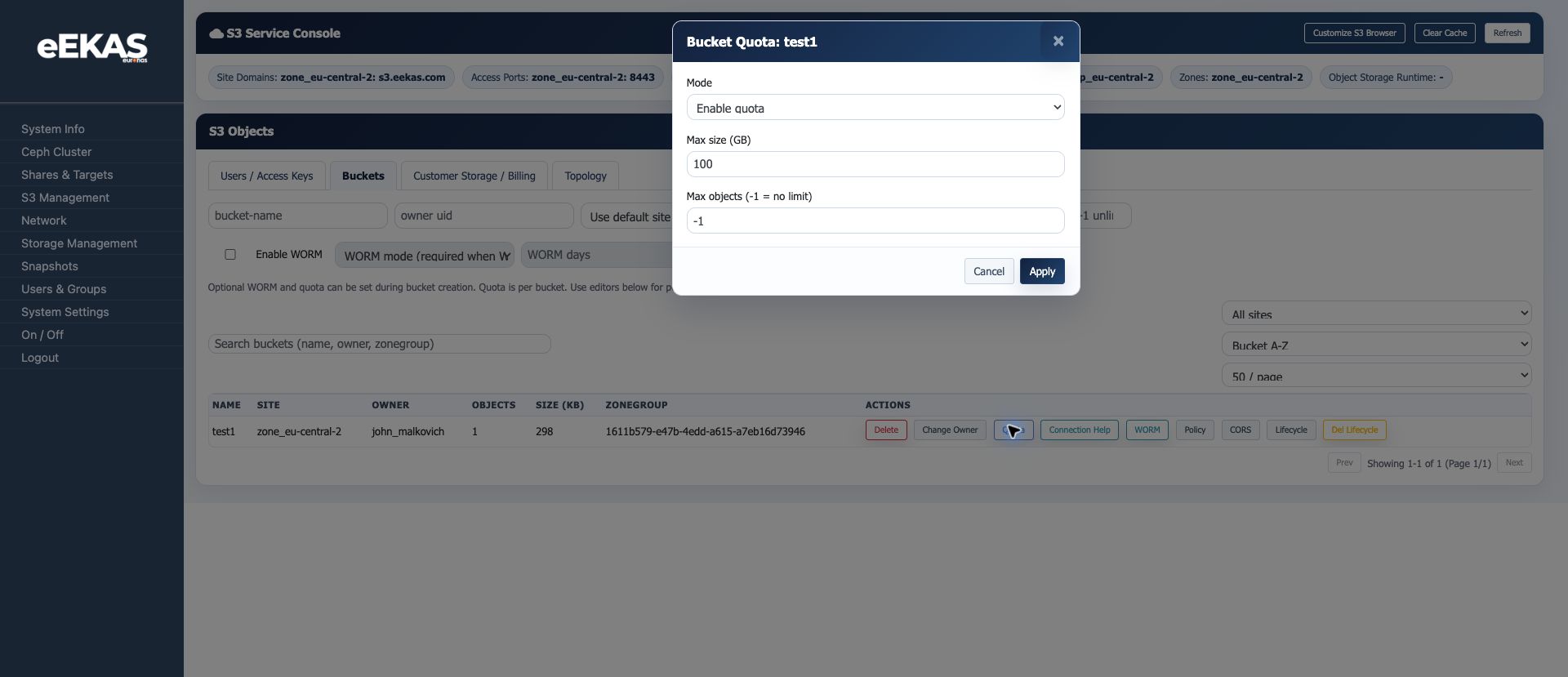
Use the Quota action to enable or adjust bucket limits.
Screenshot reference: Bucket quota dialog (../eekas-s3-screenshots/07-bucket-quota-dialog.png)
Available settings:
- Mode: enable or disable quota.
- Max size in GB.
- Max objects, where
-1means no object limit.
Quotas are useful for customer storage, backup repositories and multi-tenant services where one bucket must not consume uncontrolled capacity.
Connection Help
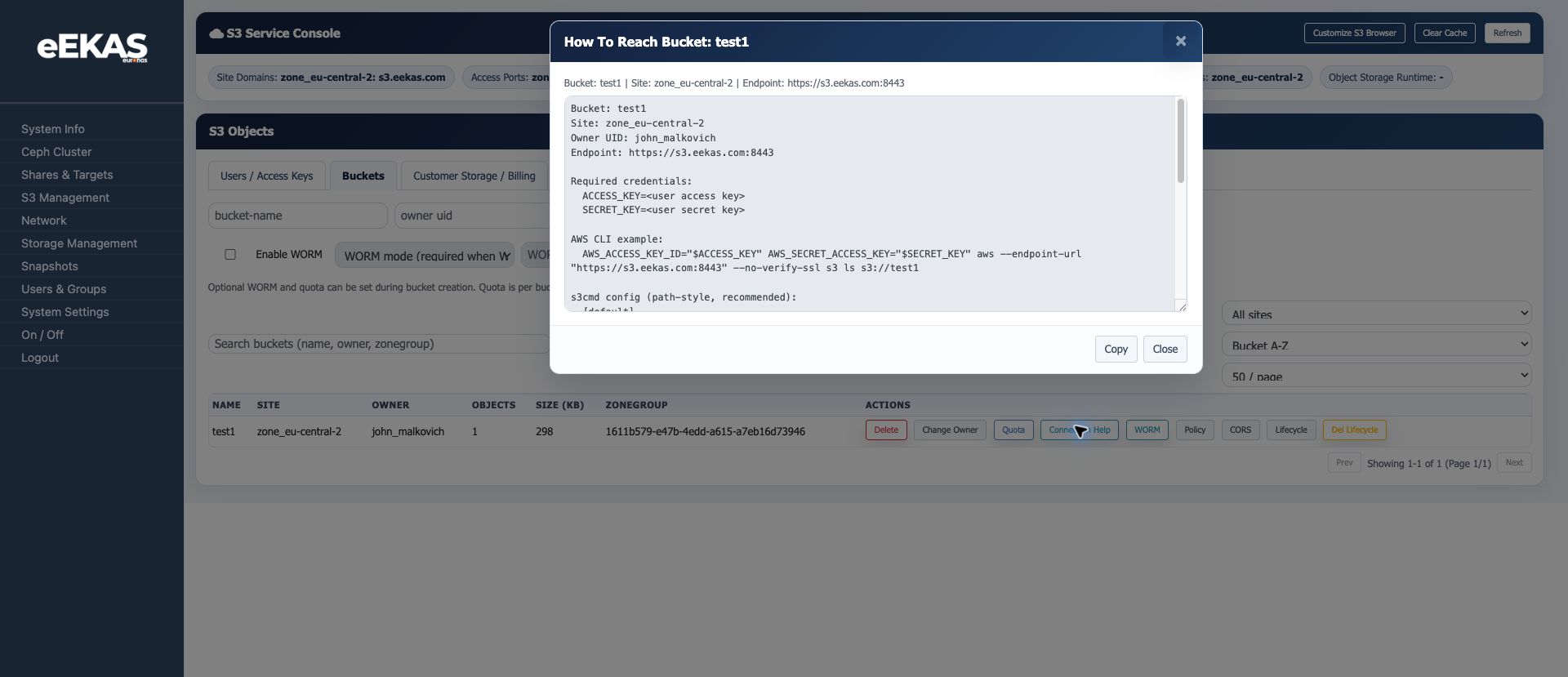
The Connection Help action generates user-facing connection information for a bucket.
Screenshot reference: Bucket connection help (../eekas-s3-screenshots/06-bucket-connection-help.png)
It includes:
- Bucket name
- Site
- Owner UID
- Endpoint
- Required credential placeholders
- AWS CLI example
- s3cmd path-style configuration hints
This dialog is a good source for customer handover instructions. Do not replace the placeholders with real secret keys in public documentation.
WORM and Retention
WORM/Object Lock is used for protected storage and retention-oriented workflows.
Practical notes:
- Enable WORM during bucket creation when the bucket must support protected retention.
- Define WORM mode and default retention period before using the bucket for compliance or backup retention.
- A non-WORM bucket may not expose the same later WORM actions as a WORM-enabled bucket.
- Test restore and delete behavior before using WORM for production compliance workflows.
Policy Editor
Use the Policy action to inspect or edit bucket policy/ACL data.
Screenshot reference: Bucket policy editor (../eekas-s3-screenshots/09-bucket-policy-dialog.png)
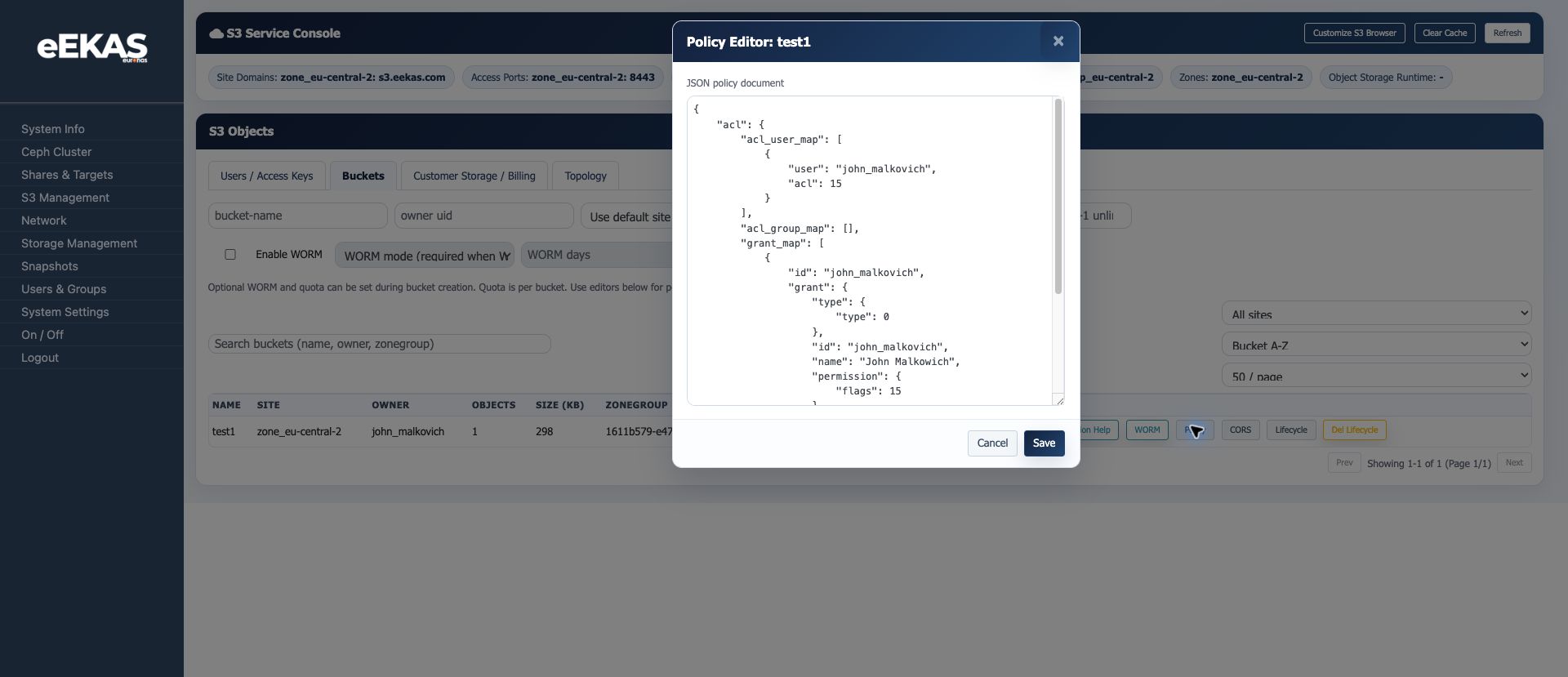
The policy editor exposes JSON policy data. This is powerful but should be handled carefully:
- Keep a copy of the current policy before editing.
- Validate JSON syntax before saving.
- Use least-privilege access rules.
- Avoid granting broad public access unless the bucket is explicitly intended for public content.
CORS
The bucket table exposes a CORS action. Use CORS only when browser-based applications need to access bucket content directly from another origin.
Recommended guidance:
- Keep allowed origins as narrow as possible.
- Avoid wildcard origins for private or authenticated buckets.
- Document which web application requires the rule.
- Test upload, download and preflight behavior after changing CORS.
Lifecycle
Use the Lifecycle action to manage lifecycle policy XML.
Screenshot reference: Bucket lifecycle editor (../eekas-s3-screenshots/11-bucket-lifecycle-dialog.png)
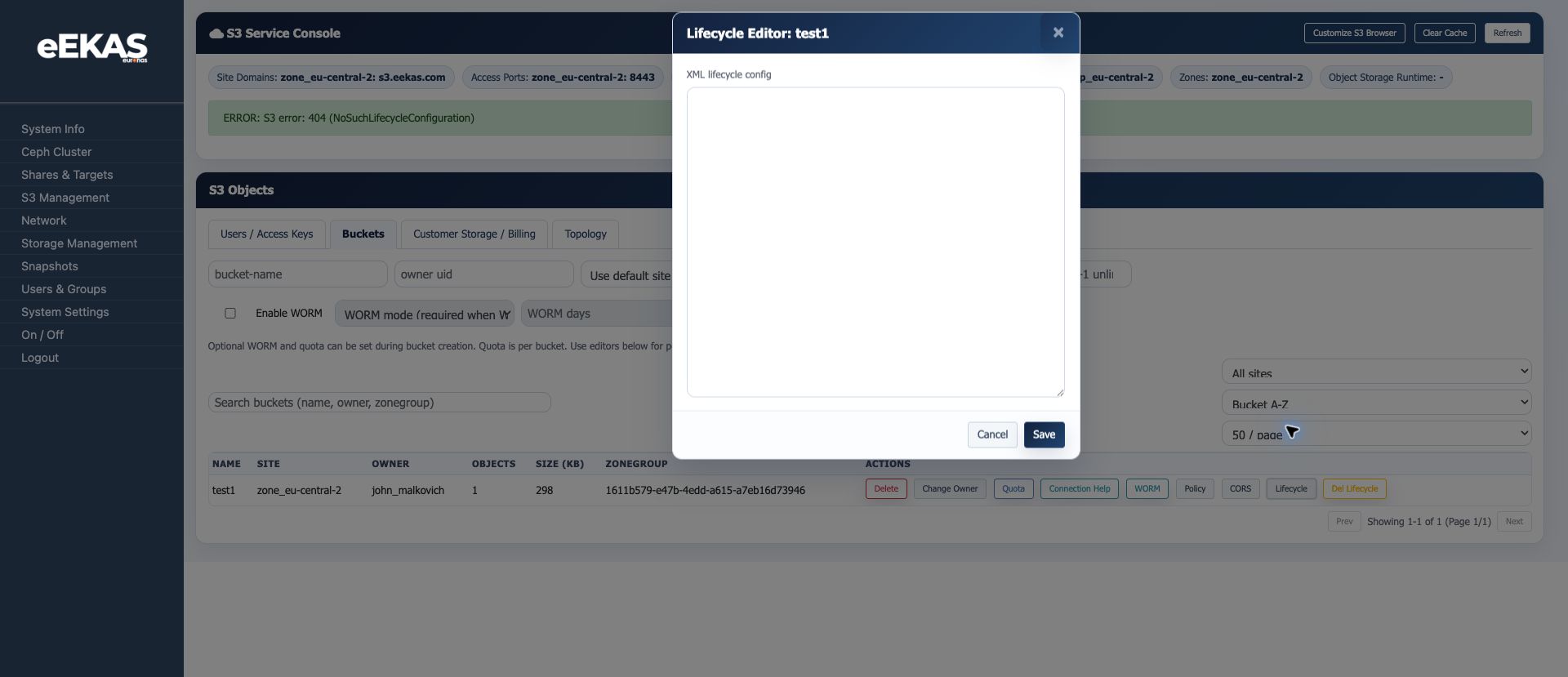
Lifecycle rules are typically used to expire objects, clean up old versions or automate retention-related housekeeping. On the test bucket, the console showed NoSuchLifecycleConfiguration, meaning no lifecycle policy was configured yet.
Before saving lifecycle XML:
- Confirm the intended object prefix or scope.
- Check whether versioned objects are involved.
- Test the rule on a non-production bucket.
- Keep a copy of the XML configuration.
Source: eEKAS live test cluster and supplied euroNAS eEKAS documents, prepared on 2026-07-09.