
Ceph Status Details, OSDs and Placement Groups
The ClusterCeph Status areaand exposesObjects / PGs tabs expose detailed Ceph statushealth information that is useful for operations and troubleshooting. The live eEKAS R8 interface includes tabs for Ceph Status, Monitors, Managers, MDS, Objects / PGs and MON/MGR Placement.
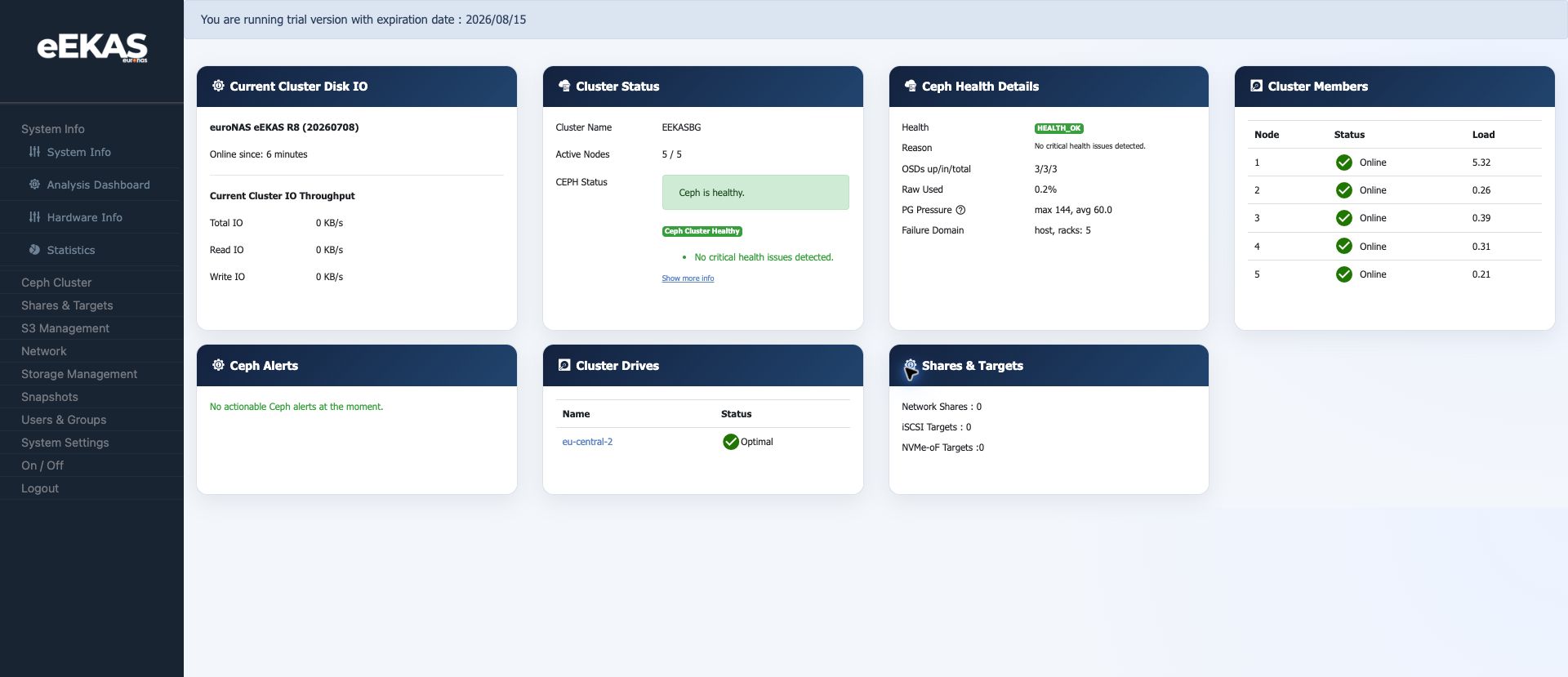

Key Health Fields
| Field | Meaning |
|---|---|
| Health Status | Overall Ceph health state. |
| PG |
Placement group |
OSD Interpretation
OSDs areIn the storagetest daemonscluster, thatCeph storereported object data. Aa healthy productionstate, stateTotal normallyMONs requireswas 5, the expectedactive OSDsmanager towas be both upEEKASBG-1.ynuwsd and in.PG Ifstates anshowed OSDactive+clean: is180.
Objects and recovery state must be checked before additional changes are made.
Placement Groups
Placement
The Objects / PGs viewtab helpshighlights administratorsobject-level understandrisk objectindicators.
| Field | Healthy Meaning |
|---|---|
| Degraded Objects | 0 means no objects currently lack the expected redundancy. |
| Misplaced Objects | 0 means data placement currently matches the intended CRUSH placement. |
| Unfound Objects | 0 means no objects are missing from all known OSDs. |
| PG |
active+clean means placement groups are active and |
Recommended Troubleshooting Flow
- Start with the
dashboardClusterhealthStatussummary.tab. - Open
ClusterCeph Status andreviewcheckCephHealthStatus.Status, Total MONs, Active MGR and PG States. Check OSDs up/in/total and raw usage.ReviewOpen Objects / PGswhenandperformance,checkbalancingdegraded,ormisplacedrecoveryandbehaviourunfoundlooks unusual.objects.- Record
the health state and theexactwarning textvalues before taking corrective action.
Good Practice
Do not perform
Good Practice
A healthy state should show zero degraded, misplaced and unfound objects. Any non-zero value should be investigated before handing the currentservice status,to then decide whether the issue is node, disk, network, capacityusers or placement related.customers.