Cluster Creation
eEKAS supports cluster configurations of up to 32 nodes, but for best performance, stability, and ease of management, we recommend limiting the cluster to 16 nodes. This provides a balanced architecture that maintains high availability while ensuring manageable complexity.
During the initial setup, you can configure up to 5 nodes using the cluster creation wizard. Additional nodes can be seamlessly added later to scale your environment as your storage demands grow.
Network Requirements
For a robust, high-availability setup, a minimum of three dedicated network interfaces per node is recommended. These interfaces should be used for:
Public/Management Network
Heartbeat Network
Replication/Storage Network
Implementing network bonding (e.g., LACP) is strongly encouraged to increase throughput and provide failover redundancy, ensuring uninterrupted cluster communication and data access.
Heartbeat Network
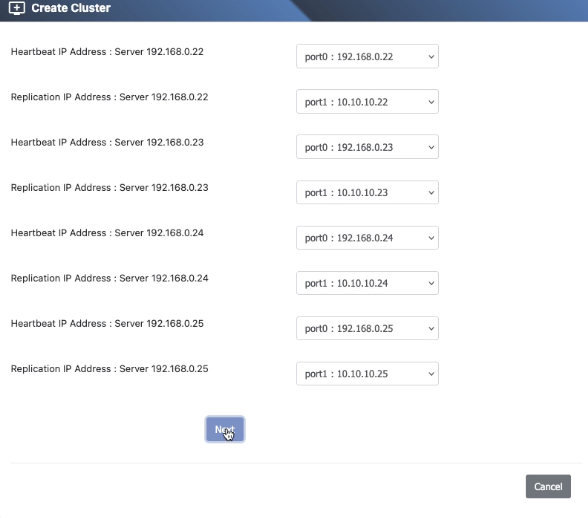
The Heartbeat Network is critical for maintaining cluster integrity. It allows nodes to monitor each other’s status in real time. If a node becomes unresponsive, this network enables quick failover actions such as IP Group migration and service reallocation.
Replication/Storage Network
The Replication Network serves as a secondary path for inter-node communication and is essential in Ceph environments. It handles data replication and recovery traffic, offloading this load from the public network.
In two-node or mirrored deployments, this network also functions for synchronous replication. For clusters using shared storage (e.g., JBOD or SAN), this interface can be repurposed to connect to those devices.
Creating a Multi-Node Cluster in eEKAS
Once eEKAS is installed on each node and the networks are properly configured, the Cluster Creation Wizard guides you through the process of building a reliable, multi-node cluster.
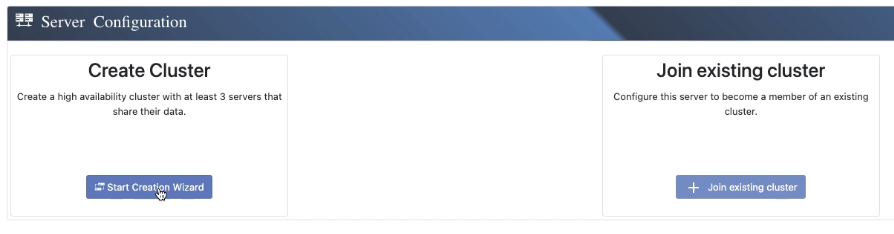
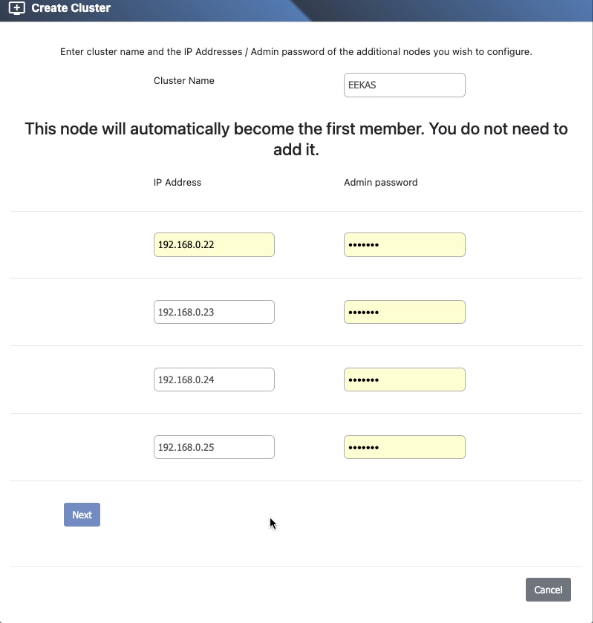
1. Define Cluster Name and Node IPs
Choose a name for your cluster and enter the IP addresses of the participating nodes.
Example: We will create a 5-node cluster .
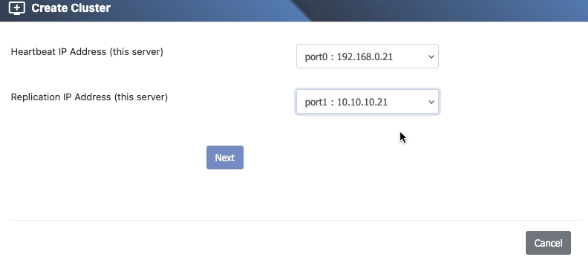
2. Configure Local Node Networks
Assign the Heartbeat and Replication IP addresses for the current node.
4. Configure Networks for Peer Nodes
Specify the Heartbeat and Replication IPs for all other nodes in the cluster.
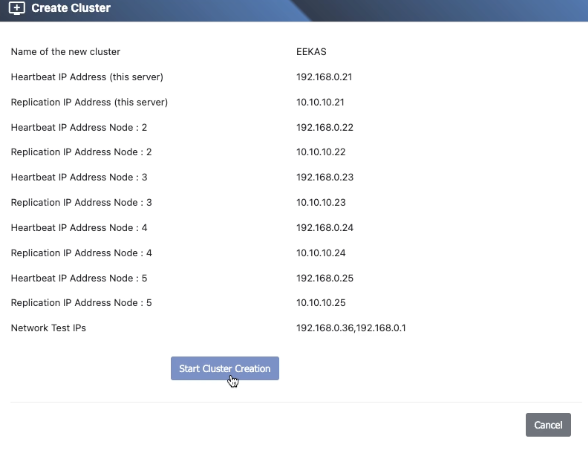
5. Review and Confirm
Double-check all settings before finalizing the cluster creation.
6. Cluster Drive Setup and Dashboard Access
After setup, create your first Cluster Drive or navigate to the Dashboard to monitor system health and cluster activity.