
Cluster Drive Management
Introduction
The Cluster Drive Management section of eEKAS provides administrators with a centralized interface to monitor, configure, and maintain all storage drives within the Ceph-based cluster. Whether you are adding new drives, replacing failed ones, or reviewing performance metrics, this module ensures that storage resources remain healthy, balanced, and optimized for high availability.
In eEKAS, drives are the fundamental building blocks of the storage cluster. Each drive contributes capacity and performance to the Ceph storage pool, and the platform automatically distributes and replicates data across multiple drives to prevent data loss in case of hardware failure. Through Cluster Drive Management, administrators gain clear visibility of each drive’s role, usage, and health status, as well as access to guided workflows for maintenance operations.
Key benefits include:
Unified Visibility – View all cluster drives across nodes in one place, with detailed status indicators.
Simplified Lifecycle Management – Add, replace, or remove drives without disrupting active services.
High Availability Support – Drive operations are seamlessly integrated with eEKAS IP Group failover mechanisms, ensuring that storage remains accessible during maintenance or unexpected failures.
By consolidating all drive management tasks into a single, user-friendly interface, eEKAS reduces administrative complexity while preserving the robust fault-tolerance and scalability that Ceph delivers. This ensures that your storage cluster continues to perform reliably, even under demanding enterprise workloads.
In eEKAS, a Cluster Drive is a logical storage resource that may consist of one or more Ceph pools, depending on the service it supports. Each Cluster Drive defines how its data is stored, protected, and distributed across the cluster, using redundancy policies tailored to the workload.
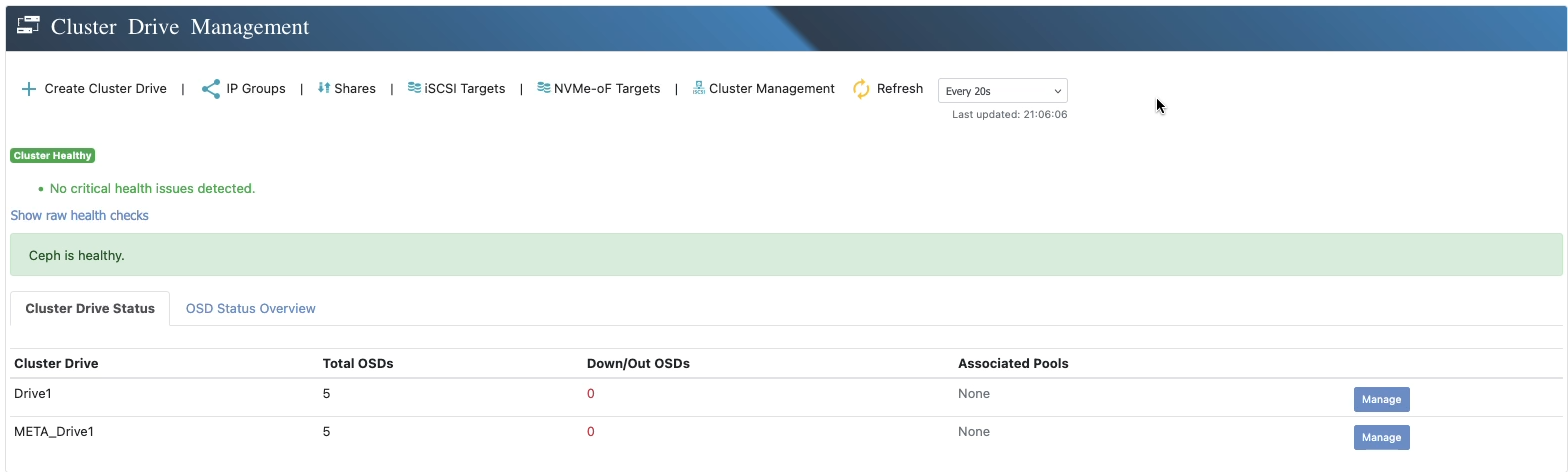
For example:
An Storage Cluster Drive uses a single pool for storage volumes used for iSCSI, NVMe-oF, SMB/CIFS or NFS.
An S3 Cluster Drive will require multiple pools — one for object data, another for metadata—to optimize performance and reliability. They will be automatically created by the creation wizard.
eEKAS makes managing these configurations straightforward while leveraging Ceph’s advanced data protection methods:
Replication – Stores multiple identical copies of data across different drives and nodes, ensuring immediate availability if hardware fails.
Erasure Coding – Breaks data into chunks with parity information, allowing full recovery with reduced storage overhead.
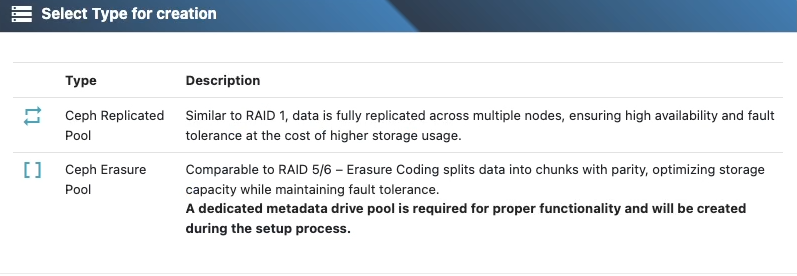
Administrators can choose between these methods—or combine them across different pools within the same Cluster Drive—to achieve the right balance of performance, capacity efficiency, and fault tolerance.
Through Cluster Drive management in eEKAS, you can:
- Create drives with single or multiple pools, each with its own redundancy policy.
- Monitor health, performance, and usage across all associated pools.
- Adjust data protection strategies without complex command-line operations.
By integrating pool flexibility with Ceph’s fault-tolerance, eEKAS ensures that each Cluster Drive is optimized for its specific application needs, whether for block, file, or object storage.