
Hardware Recommendation
When deploying euroNAS eEKAS, selecting the appropriate hardware is essential to ensure optimal performance, reliability, and scalability of your storage infrastructure. Below are hardware recommendations to help you build a high-availability and high-performance environment suited for enterprise workloads and modern storage demands.
Recommended Node Count
eEKAS is built on Ceph, a distributed storage system that relies on multiple nodes for redundancy, high availability, and fault tolerance.
Minimum Requirement:
3 Servers (Nodes): This is the minimum requirement for a functional and fault-tolerant Ceph cluster using eEKAS.
Recommended for Production:
5 or More Servers: For enhanced redundancy, performance, and scalability, a 5-node or larger cluster is strongly recommended. This setup allows better distribution of data and services, reducing the risk of service disruption during maintenance or hardware failure.
1. CPU
In a distributed storage environment like eEKAS, the CPU handles data replication, network traffic, and service management.
Recommendation:
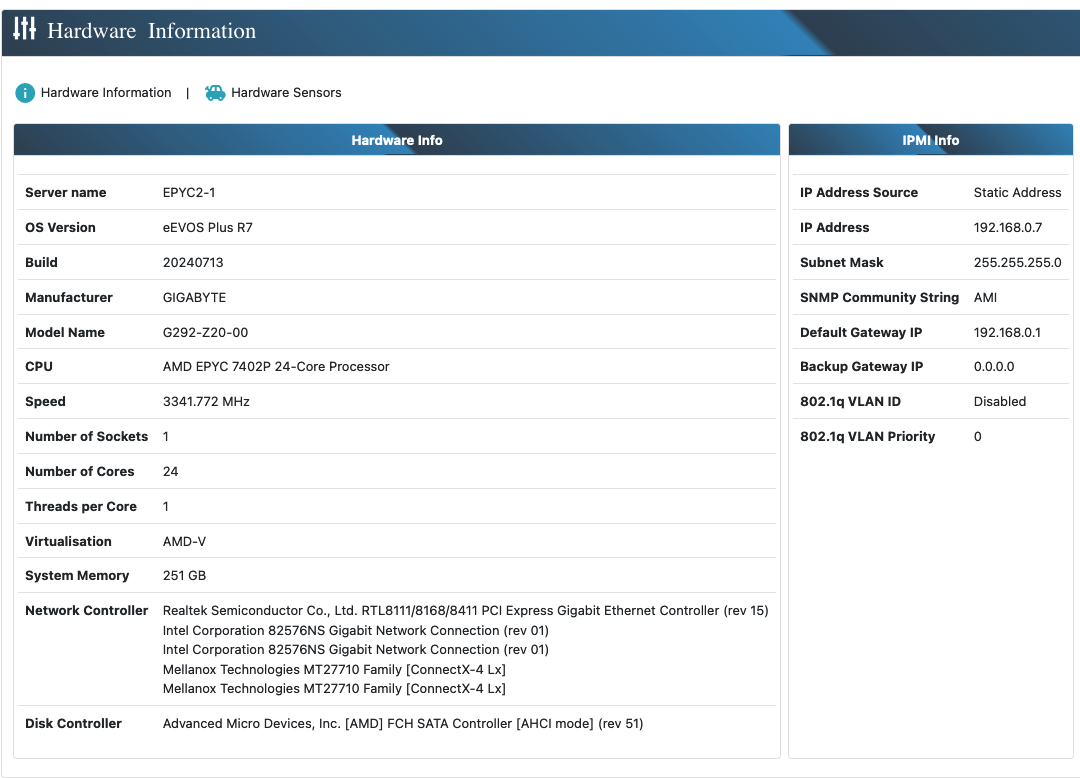
Intel Xeon or AMD EPYC Processors: These server-grade CPUs are ideal for eEKAS due to their high core counts and performance efficiency.
Core Count: For small to medium deployments, at least 16 cores are recommended. For larger clusters or heavy workloads, 32 cores or more are advisable.
2. RAM
RAM is vital for Ceph performance and caching.
Recommendation:
Minimum Requirement: Start with 32 GB ECC RAM per node for basic installations.
Scalable Deployments: For optimal performance and larger clusters, 64 GB to 256 GB ECC RAM is recommended. ECC RAM improves system reliability by correcting memory errors.
3. Storage
Storage design affects not only performance but also redundancy and fault tolerance in Ceph.
Recommendation:
NVMe/SSD Drives: Use NVMe or SSDs for journals, metadata, or high-performance pools to minimize latency and boost performance.
HDDs for Capacity: For bulk storage, HDDs offer cost-effective capacity. A hybrid approach with SSD caching can balance speed and space.
RAID Configuration: For boot drives only; data disks should not use hardware RAID but be managed individually by Ceph.
Capacity Planning: Scale capacity according to your application and replication settings, starting with 1 TB and expanding as needed.
4. Network Interface Cards (NICs)
Network bandwidth is critical for Ceph’s replication and data access.
Recommendation:
Minimum 10 Gigabit Ethernet: Use 10GbE or faster for internal Ceph traffic. Consider 25GbE or higher for demanding workloads.
Redundancy: Implement multiple NICs for fault tolerance and load balancing, ensuring uninterrupted connectivity.
5. Motherboard
A stable motherboard ensures compatibility with all critical components and supports future upgrades.
Recommendation:
Server-Grade Motherboards: Use boards that support ECC memory, multiple NICs, and offer IPMI for remote management.
Expansion Slots: Ensure sufficient PCIe slots for additional NICs or storage controllers.
6. Power Supply Unit (PSU)
Power stability is crucial for a fault-tolerant environment.
Recommendation:
High-Quality PSU: Choose PSUs with enough wattage and 80 PLUS certification for efficiency.
Redundant PSU: Use redundant power supplies in enterprise or HA deployments to reduce downtime risks.
7. Chassis
Efficient housing impacts system cooling, maintenance, and scalability.
Recommendation:
Rack-Mountable Chassis: Ideal for data centers or large setups, offering better airflow and expansion capacity.
Tower Chassis: Suitable for smaller installations or branch office setups.
8. Cooling
Proper cooling is essential to maintain performance and hardware longevity.
Recommendation:
Active Cooling Solutions: Equip systems with adequate fans and consider advanced cooling for high-density deployments.
Environmental Controls: Maintain optimal ambient temperatures and humidity in data centers.
9. Uninterruptible Power Supply (UPS)
Protect your storage system from power disruptions and data loss.
Recommendation:
High-Capacity UPS: Ensure the UPS can sustain your entire node long enough for a graceful shutdown.
Monitoring Features: Use UPS models with alerting and management software for proactive system protection.
In conclusion, the success of an eEKAS deployment depends heavily on choosing the right hardware based on your performance, capacity, and redundancy needs. These recommendations serve as a foundation to help you build a reliable and efficient enterprise-grade storage environment powered by eEKAS.