
Joining euroNAS HA Storage to Microsoft Active Directory
Microsoft Active Directory is a centralised authentication and identity management platform used throughout enterprise environments to control user access, security policies, and permissions across servers, storage, applications, and desktop systems.
By integrating the euroNAS cluster with Active Directory, administrators can authenticate users against an existing domain rather than managing separate local accounts on each system. This simplifies administration, improves security, and ensures users can access shared data using their existing corporate credentials.
Active Directory integration also allows euroNAS to utilise domain users and groups directly when assigning permissions to SMB shares, helping maintain consistent access control policies across the wider infrastructure.
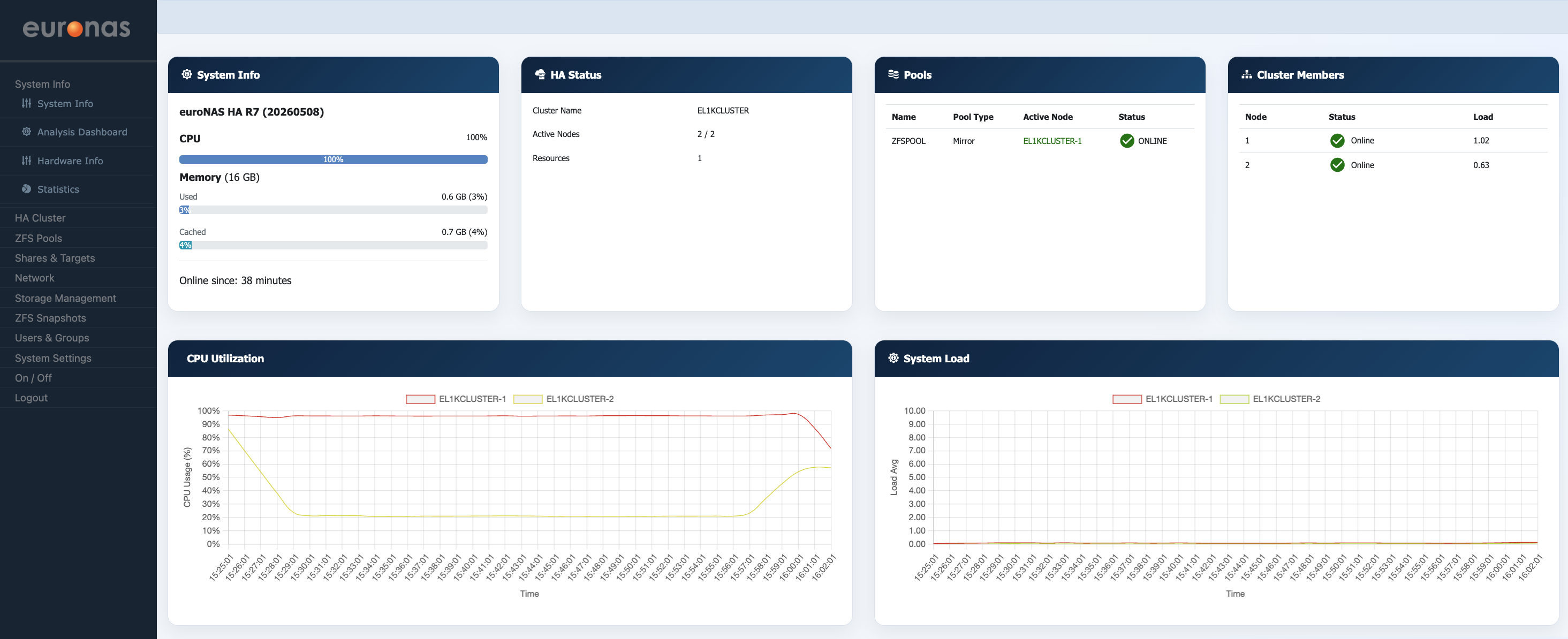
From the System Info screen, select Users & Groups.
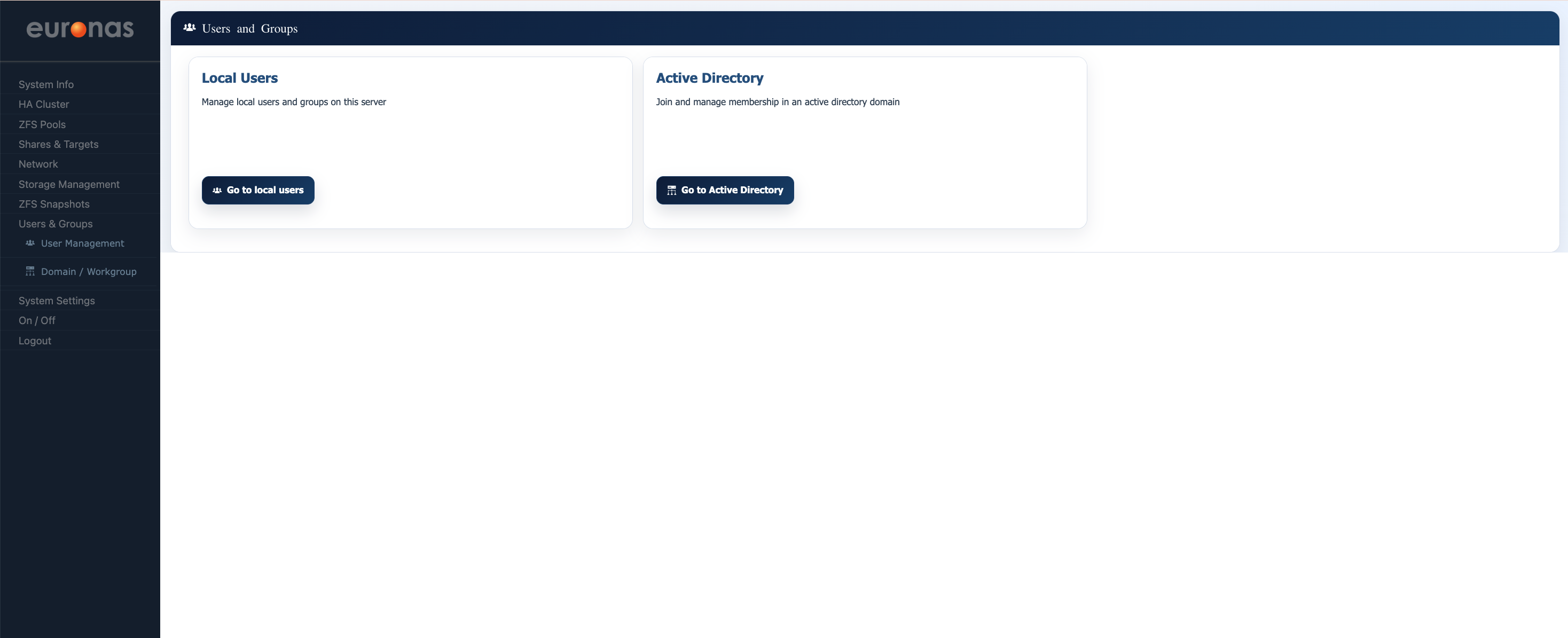
From the Users & Groups screen, select Go to Active Directory.
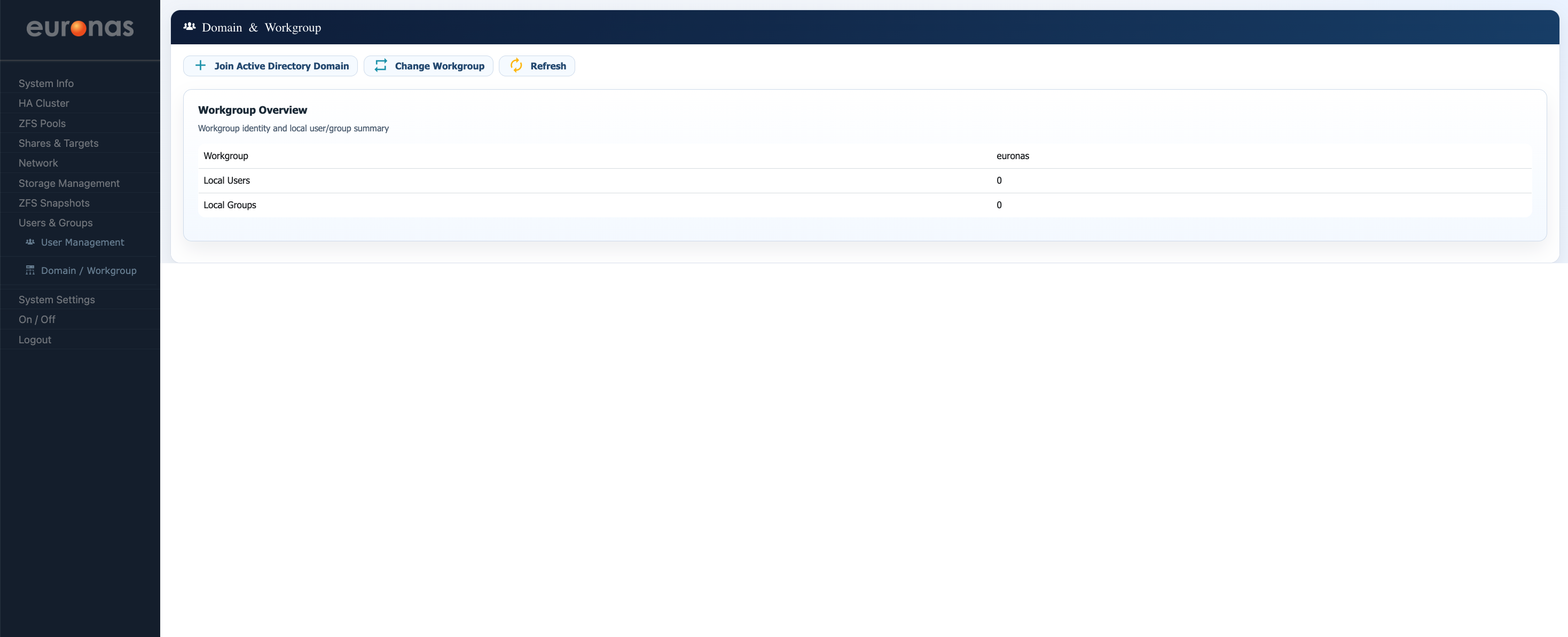
From the Domain & Workgroup screen, select Join Active Directory Domain to begin the domain join process.
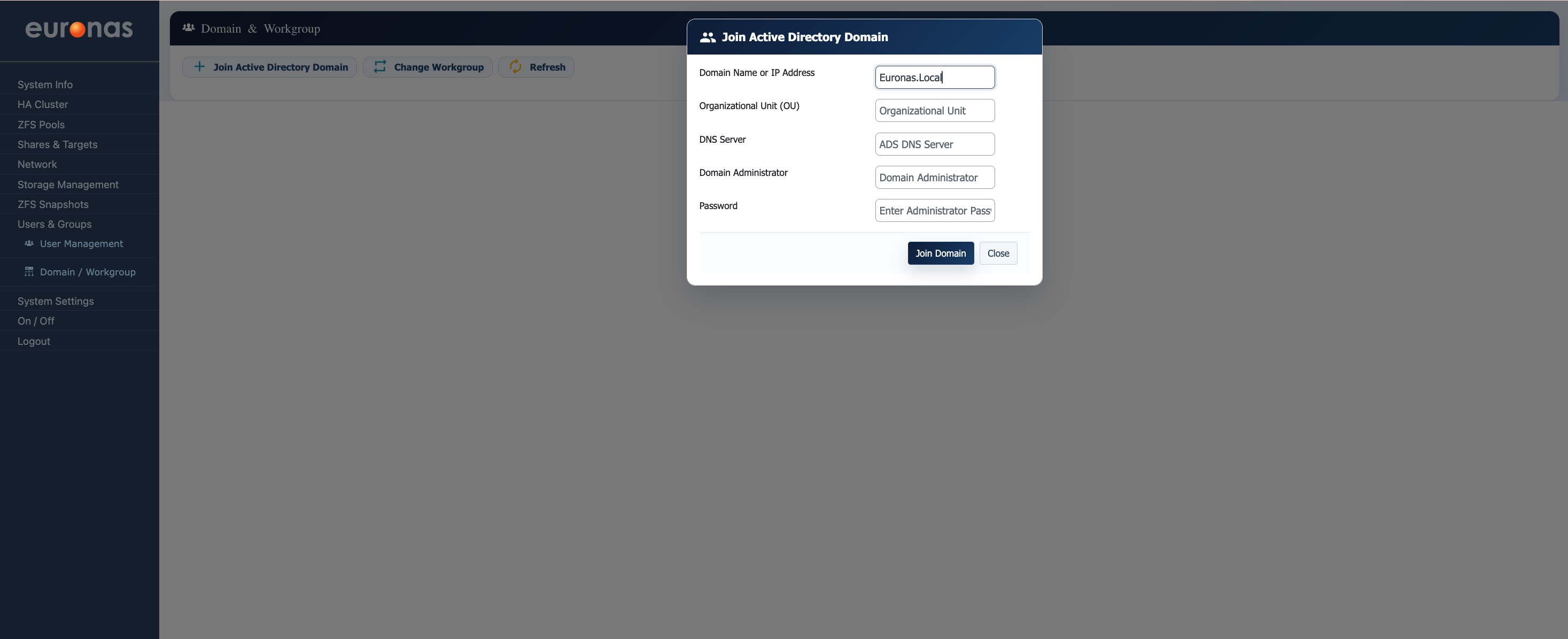
In this section we will connect the euroNAS platform to a Microsoft Active Directory domain. Active Directory integration allows euroNAS to authenticate users and groups directly against the domain, providing centralised identity management across the storage platform. This removes the need for local user administration and allows existing organisational security policies, user accounts, and group memberships to be reused across the environment.
As part of this configuration with our system a dedicated Active Directory service account was created within the Euronas.local domain and delegated appropriate permissions to allow euroNAS to join the domain securely. A structured Organisational Unit (OU) hierarchy was also created to allow storage systems to be logically separated within Active Directory.
The Domain Join screen allows the administrator to define:
- The Active Directory domain name
- Optional Organisational Unit placement
- The Active Directory DNS server
- Domain administrator or service account credentials
Correct DNS configuration is critical for Active Directory integration, as domain authentication and Kerberos communication rely heavily on DNS service discovery. Once successfully joined, euroNAS is able to communicate directly with the domain controller and utilise Active Directory users and groups for authentication and permissions management across shares and storage resources.
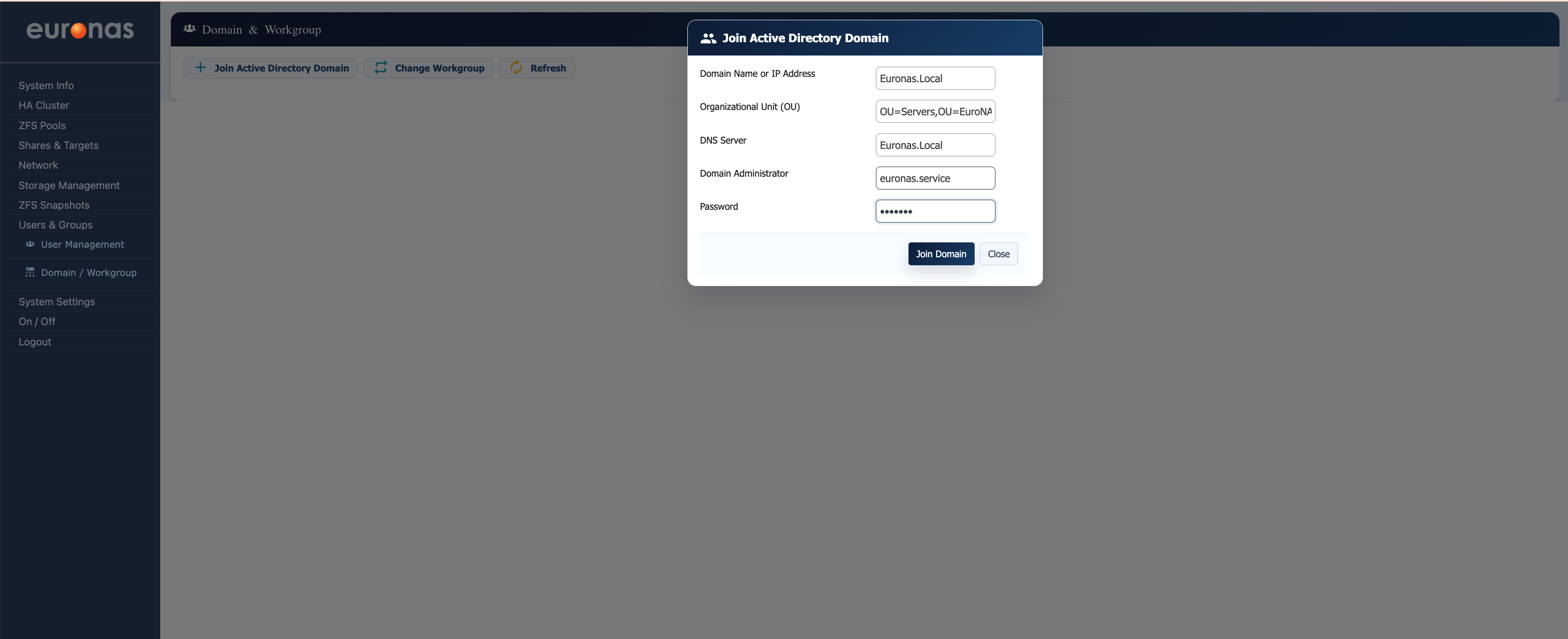
With all required fields now completed, the euroNAS node is ready to join the Microsoft Active Directory domain. The system has been configured with:
- The Active Directory domain name
- An Organisational Unit (OU) location for computer object placement within the domain
- A dedicated DNS server for domain resolution
- A delegated Active Directory service account
The OU path defines where the euroNAS system object will be created inside Active Directory, allowing storage systems to be logically separated from standard servers and user objects. In this example the system will be placed into the dedicated EuroNAS Storage OU structure.
Once validated, selecting Join Domain initiates the Active Directory domain join process. During this stage euroNAS will:
- Validate DNS communication with the domain controller
- Authenticate against Active Directory using the supplied service account
- Register the system within the specified OU
- Configure Kerberos and domain communication services
- Enable Active Directory based authentication across the platform
Following a successful join operation, Active Directory users and groups can be utilised directly within euroNAS for access control, permissions management, and storage authentication.
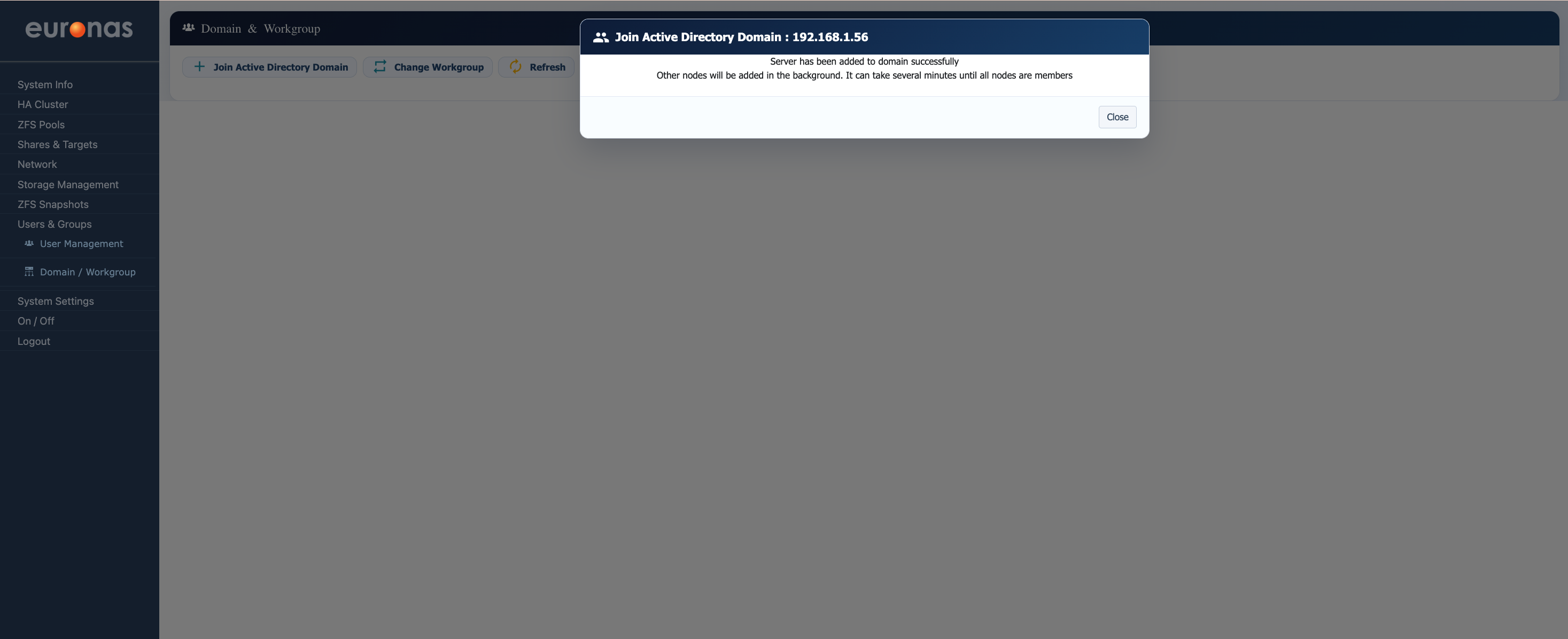
The euroNAS node has now been successfully joined to the Microsoft Active Directory domain. During this process the platform authenticated against the domain controller, registered the system within Active Directory, and established domain communication services including DNS and Kerberos integration. In clustered deployments additional nodes will automatically be joined to the domain in the background, ensuring consistent authentication and identity management across the entire euroNAS HA environment.
Depending on the size of the environment and the number of cluster nodes, the Active Directory join process may take several minutes to fully complete across all systems.
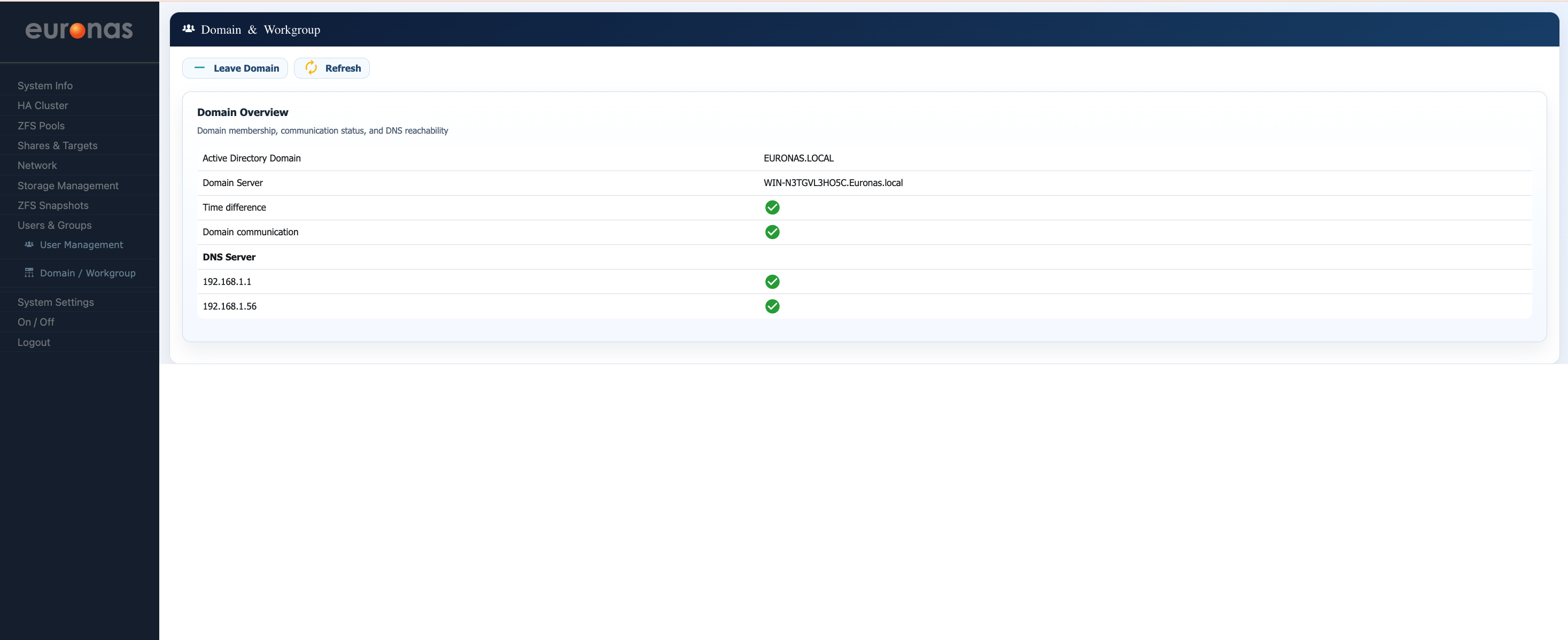
Upon successful completion the Domain Overview screen will display the Active Directory domain information along with green status indicators confirming successful communication with the domain controller, DNS resolution, and time synchronisation. At this stage the euroNAS system has successfully joined the Active Directory domain and is ready to utilise domain-based authentication and permissions management.