
Creating ZFS Snaphots
Creating ZFS snapshots is straightforward with our intuitive wizard. You can choose to create snapshots manually or set up a schedule for automated snapshots. Snapshots can be created for various resources, including shares, iSCSI Targets, and NVMe Targets.
Step 1: Create a Snapshot
Click on **Create Snapshot**Snapshot to begin.

Step 2: Select the Resource
Choose the resource (share, iSCSI Target, or NVMe Target) for which you want to create a snapshot from the list.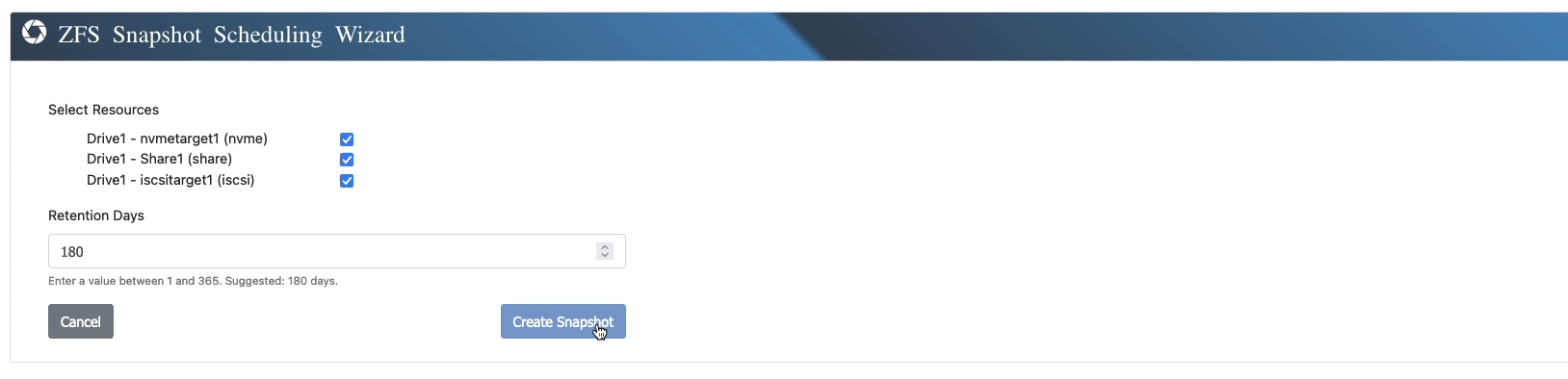
Step 3: View Created Snapshots
Once the snapshot is created, it will appear in the overview. You can now see that the selected resource has a snapshot associated with it. Scheduled snapshots will also appear in this view.

Creating ZFS snapshots ensures data consistency and provides a reliable way to manage backups, recovery points, or testing environments efficiently.