
Restore from Snapshot (ZFS)
With ZFS, you can easily roll back a resource to a previous snapshot. This process reverts the resource to its exact state at the time of the snapshot. Please note that this action will delete all data and snapshots created after the selected snapshot, so proceed with caution.
Step 1: Click on “View Snapshots”
Begin by clicking **View Snapshots** for the resource you wish to roll back.

Step 2: Select the Snapshot
Choose the snapshot to which you want to roll back from the list of available snapshots.
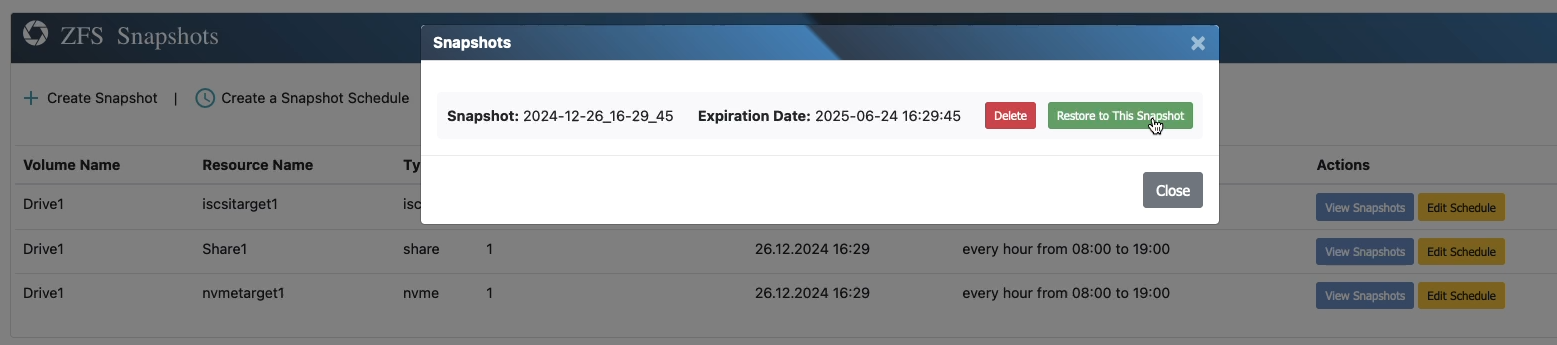
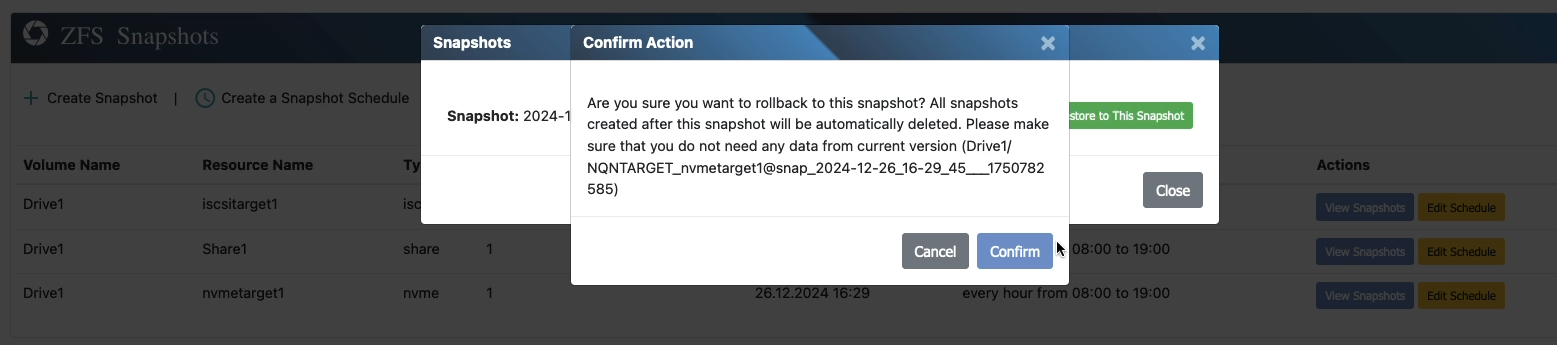
Step 3: Confirm the Rollback
You will see a warning message indicating that all data and snapshots created after the selected snapshot will be permanently deleted. Review the warning carefully and confirm to proceed.
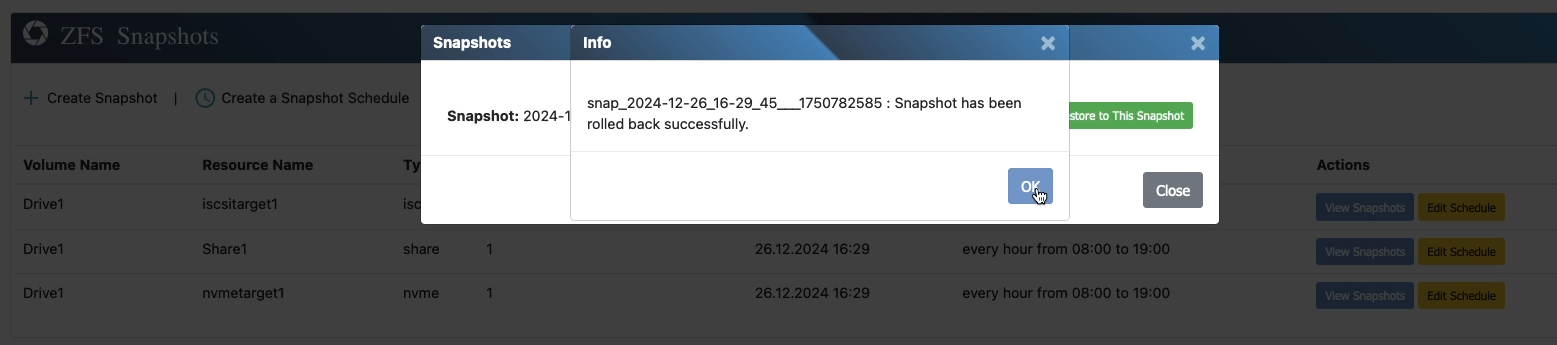
Rolling back to a snapshot is a powerful feature for restoring a resource to a known good state. Use this option carefully, as it permanently deletes all changes made after the snapshot.