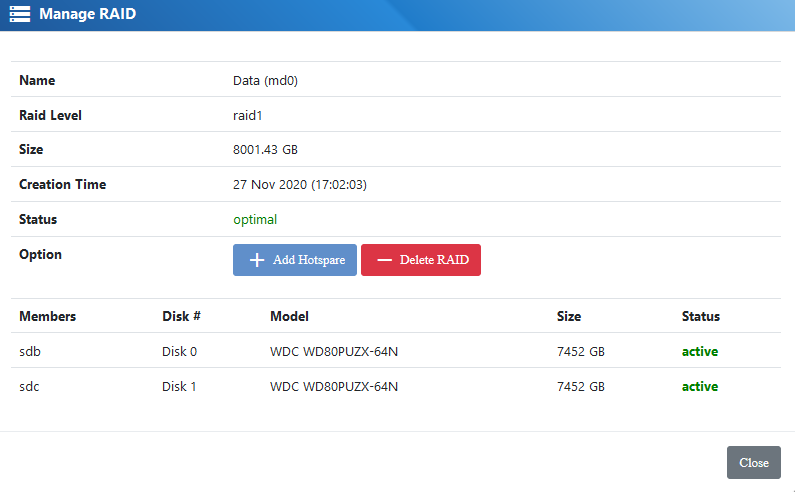
Software RAID
Software RAID is very cost effective for smaller or less IO intensive applications
Some of the features
- Supported RAID configurations
Software Raid supports the following configurations: RAID 0, RAID 1, RAID 10, RAID 5, RAID 6, RAID 50 and RAID 60
- Monitoring
RAID monitoring service will inform you if one of the drive fails. All RAID related events are logged.
- Email Notification
The system will inform you in case of drive failure
- RAID capacity expansion
Software RAID can be expanded with additional drives
RAID Creation
In order to create RAID click on Create RAID first

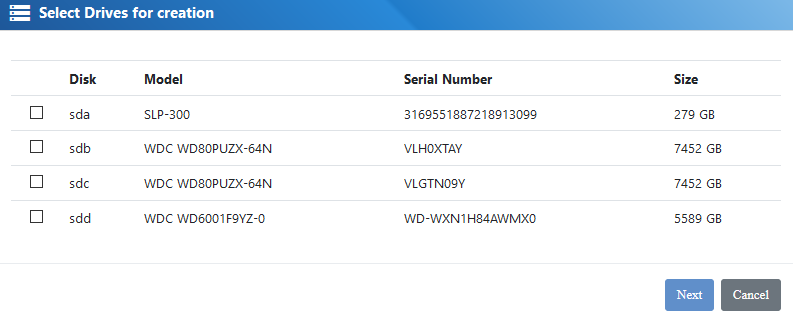
Select the drives
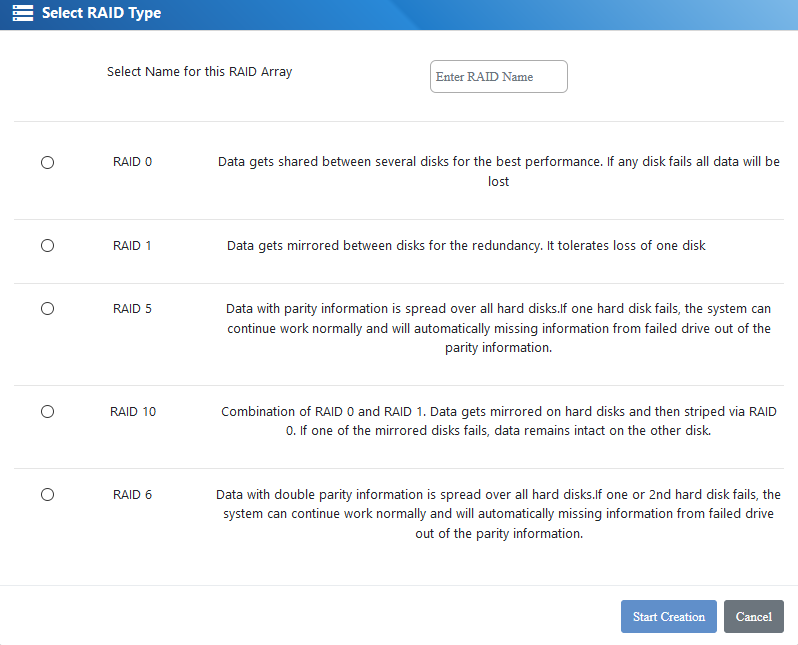
Select the RAID type and name. : system will only show possible RAID configurations depending on the amount of selected drives (for example – if you only select 2 drives – it will only offer RAID 0 and RAID 1)
After the creation you can see your RAID in the RAID Manager. Drive is automatically initialized – there is no need for an additional initialization

Under “Manage” you can add additional hot spare drive or expand existing RAID.