
Adding Backup Server
Backup Server is used to store backups of virtual machines on a NAS server within your network that supports the SMB/CIFS protocol. This ensures your data is securely stored and easily accessible in case of recovery needs.
In the VM Backup Management, you can define a Backup Server, specifying the NAS destination where backups will be saved. Once configured, this Backup Server can be selected as a target when creating Network Backup Jobs, streamlining the backup process and ensuring efficient data protection.
To add a Backup Server, navigate to “VM Backup Management” and click on “Backup Server” → “Add”.

Next, enter the IP address or hostname of the server, along with the share name and login credentials.
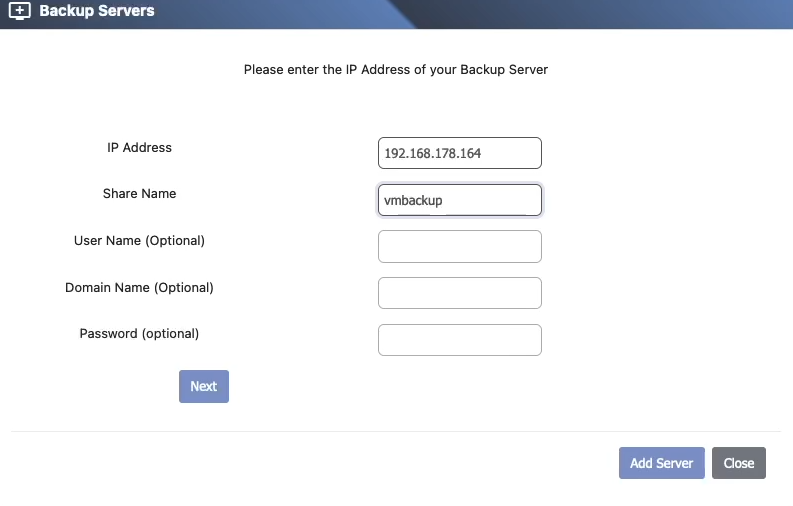
The system will now connect to the server and prompt you to select a target folder for backups.
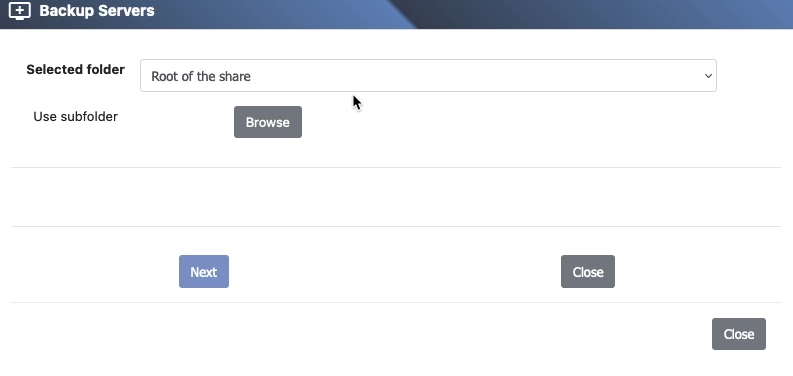
Once added, the Backup Server will be available as a destination for both backup and restore operations.