
Access control for iSCSI Shares
For iSCSI Target access you can define which IP addresses or networks are permitted to access the share. Per default access is open for evey IP
Click on “Data Management” – “iSCSI Targets” and click on the target that you wish to define permissions.
This will open the properties

Define the IP addresses or networks separated by comma (no spaces).
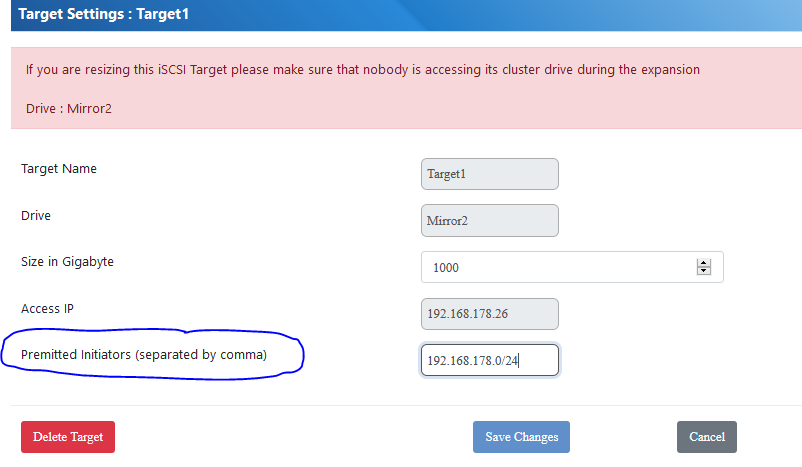
click on save changes